Team License Guide
Purchase and activate team licenses in 3 simple steps
Team Licenses - Quick Overview
Purchase multiple licenses for your team. Each license = one Pro seat for one Figma user.
Pricing: $8/month/seat or $48/year/seat
TL;DR
Buy licenses → Receive keys by email → Team members activate keys → Done!
Buy Licenses (2 minutes)
Access Team License Option
Plugins → PrintX → "Unlock Pro" → Bottom of dialog click "Click here" next to "Buy license keys for your team"
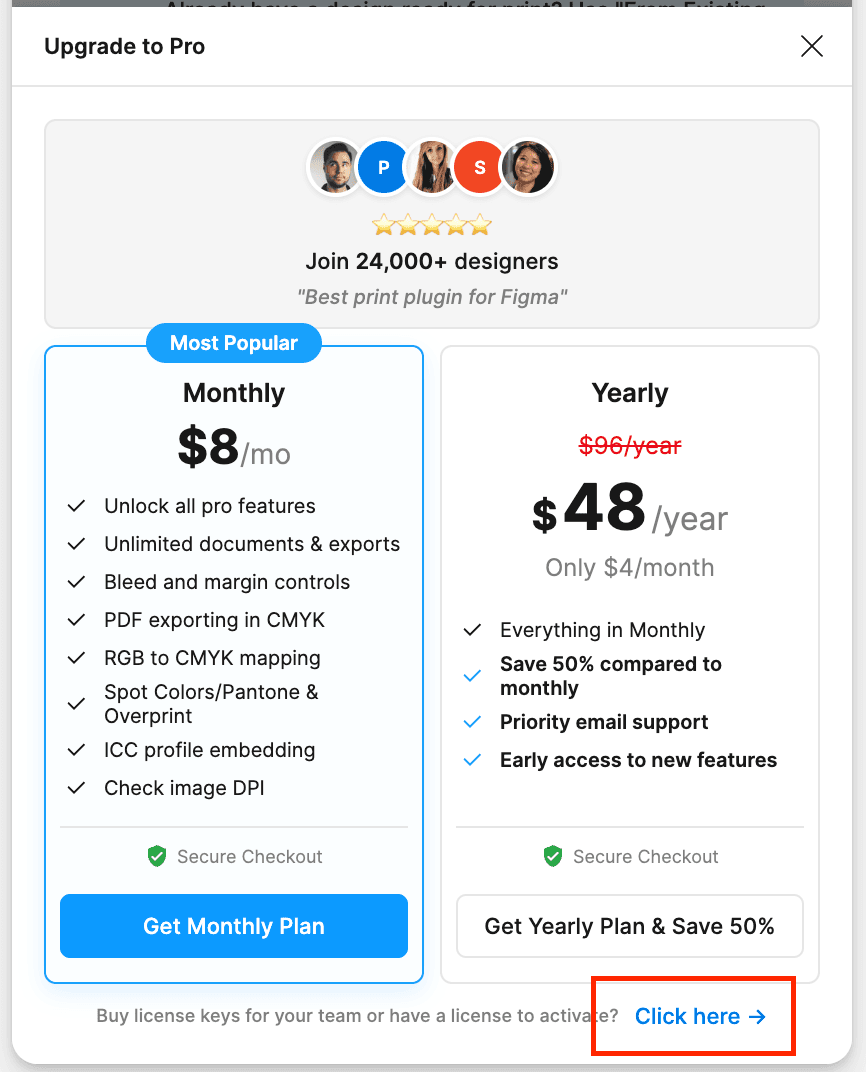
Choose Plan & Quantity
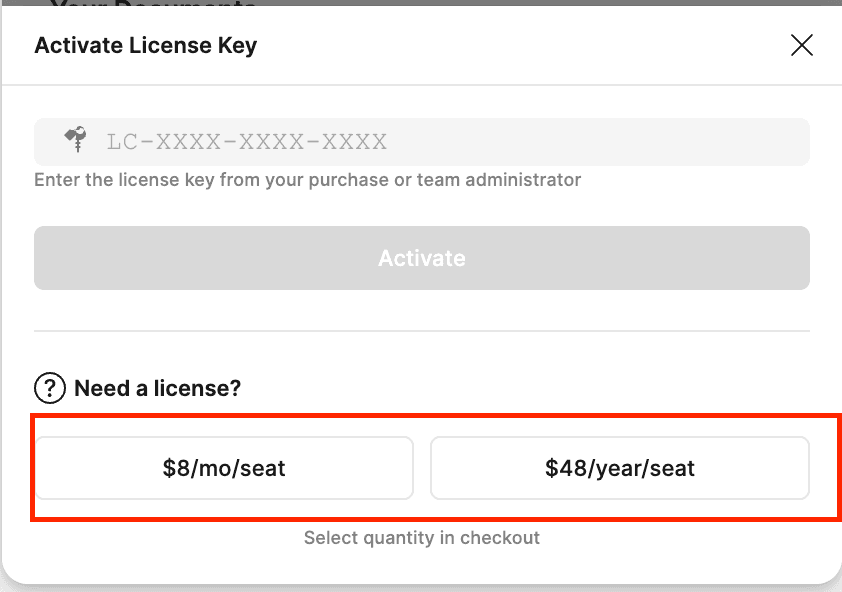
Select plan:
- $8/month per seat
- $48/year per seat (save 50%)
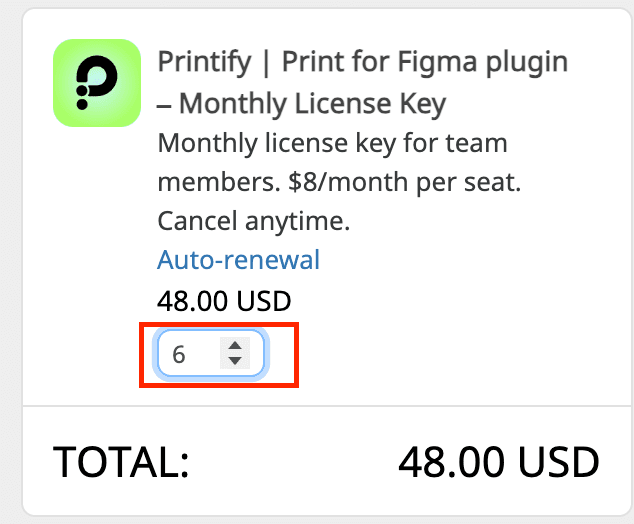
Set Quantity = number of team members
Complete Payment
Enter payment details → Complete purchase
You'll receive email with license keys within minutes.
Receive Keys (Instant)
Check email from PayPro Global:
Your License Keys:
1. LC-A1B2-C3D4-E5F6
2. LC-G7H8-I9J0-K1L2
3. LC-M3N4-O5P6-Q7R8
...
Important
Save this email - it contains all your keys.
Next: Distribute one key to each team member.
Team Members Activate (1 minute each)
Each person activates individually:
Open Plugin
Plugins → PrintX
Activate License Key
Click "Unlock Pro" → "Click here" → "Activate License Key"
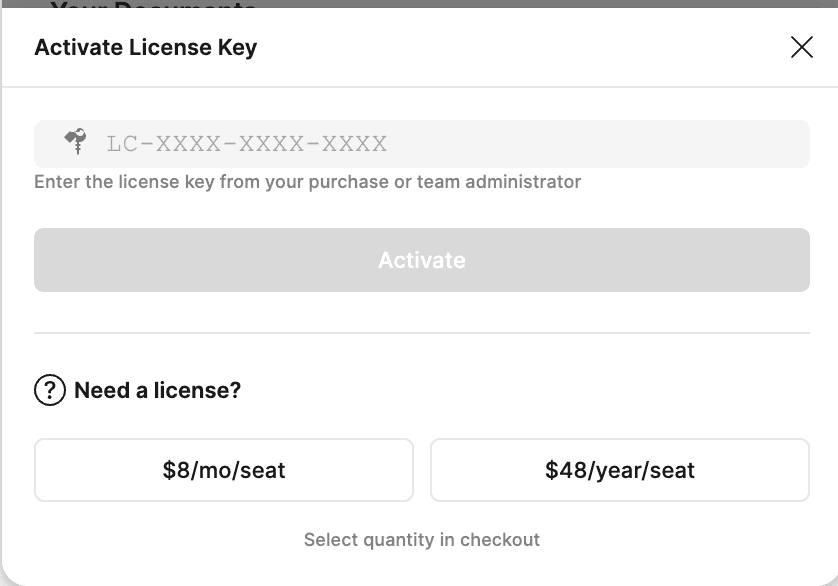
Paste Key
Paste your license key: LC-XXXX-XXXX-XXXX
Click Activate → Done! ✓
Quick Reference
Pricing
| Plan | Per Seat | Best For |
|---|---|---|
| Monthly | $8/month | Flexibility, short-term |
| Yearly | $48/year | Save 50% (= 6 months free) |
Example: 5 seats × $48/year = $240/year (vs $480 monthly)
Managing Your Subscription
Customer Panel (link in email):
- View subscription & renewal date
- Update payment method
- Download invoices
- Cancel subscription
Adding more seats: Repeat purchase process with additional quantity
Common Questions
Who manages the subscription?
The purchaser (person who paid) manages everything:
- Receives all license keys
- Manages renewals/cancellations
- Adds more seats if needed
Can I add seats later?
Yes! Purchase additional seats anytime.
Same process → Get new keys → Give to new team members
What if someone leaves?
License keys are tied to Figma accounts permanently (while subscription active).
Plan ahead: Consider some buffer seats for turnover.
Can one person use multiple keys?
No. One Figma account = One license key.
Each key can only be activated once on one account.
Activation not working?
Check:
- Copy-paste key (avoid typos)
- Key not used already
- Stable internet connection
Still stuck? → support@cooderspro.com
Can I get a refund?
Contact support@cooderspro.com within reasonable timeframe.
Include order number and reason.
Need Help?
Customer Panel
Link in order email
Manage subscription yourself
Team Setup Checklist
Quick checklist for rollout:
Before purchase
- Count seats needed (team + buffer)
- Choose monthly vs yearly
- Decide who manages subscription
After purchase
- Save order email
- Bookmark Customer Panel
- Distribute keys to team
Team activation
- Share activation instructions
- Track who got which key
- Verify everyone activated successfully
Pro tip
Create a shared spreadsheet tracking which team member has which license key. Makes management easier.
Ready to Get Started?
Purchase team licenses and empower your team with professional print tools.
Get PrintX →